
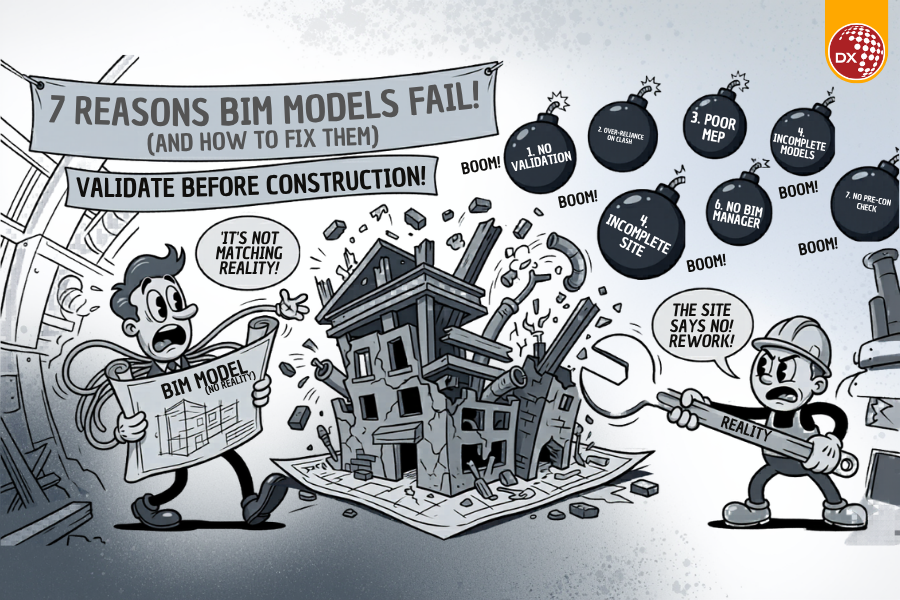
You’ve seen it before. The BIM model looks flawless in coordination meetings—no visible clashes, clean documentation, and confident approvals. But once construction begins, reality tells a different story: Services don’t align Structural openings are misplaced MEP systems clash on-site Teams start improvising And suddenly, your “coordinated” model becomes a source of rework, delays, and cost overruns. This isn’t a rare issue—it’s a recurring industry problem. In this article, we’ll break down why BIM models fail during construction, what teams often overlook, and how to implement a practical validation framework that bridges the gap between digital models and site reality. Where the Problem Starts: The Hidden Gaps in BIM Models The issue isn’t BIM itself—it’s how BIM models are created, coordinated, and validated. Most failures originate in the pre-construction phase, where: Coordination is treated as a checklist activity Clash detection BIM is mistaken for full validation Design intent is not aligned with construction feasibility The Real Impact on Projects When BIM model accuracy doesn’t reflect site conditions, the consequences are immediate: Construction rework increases by 20–40% Delays due to redesign and approvals Loss of trust between teams Budget overruns and contractual disputes These are not software problems—they are process and decision-making failures. Why Current BIM Approaches Fail What Teams Think vs What Actually Happens What Teams Think What Actually Happens “Clash detection is complete, so we’re good” Only geometric clashes are resolved—not constructability “The model is approved, so it’s accurate” Approval ≠ validation against site conditions “All disciplines are coordinated” Coordination lacks depth (especially MEP BIM coordination) “We can fix issues during construction” Fixing on-site = expensive rework The Core Problem Most teams focus on model completeness, not model reliability. That’s why BIM models don’t match site conditions—even when they appear technically correct. 7 Reasons BIM Models Fail During Construction Lack of Pre-Construction BIM Validation Models are often pushed forward without a structured validation checklist. Result: Errors are discovered only during execution. Over-Reliance on Clash Detection Clash detection BIM identifies conflicts—but doesn’t answer: Can this be installed? Is there enough clearance? Is sequencing feasible? Clash-free doesn’t mean construction-ready. Poor MEP BIM Coordination MEP systems are the most complex—and most prone to errors. Common issues: Incorrect routing assumptions Missing tolerances Ignoring site constraints Result: Major site-level conflicts. Incomplete Federated BIM Models Disciplines are combined—but not fully integrated. Structural, architectural, and MEP models lack alignment Dependencies are not validated This creates hidden coordination gaps. Ignoring Site Reality Design teams often work with ideal conditions, while sites operate under constraints: Space limitations Installation sequence Material availability This creates a digital vs physical mismatch. Lack of Ownership (No Clear BIM Manager Role) Without a defined BIM manager or VDC leader: Coordination becomes fragmented Decisions lack accountability Result: Errors slip through unnoticed. No BIM Model Quality Check Before Construction Teams skip final model audits before execution. Missing checks include: Tolerance validation Installation feasibility Access and maintenance clearance This is where most construction rework originates. BIM Validation Framework for Construction Readiness To prevent these failures, you need more than coordination—you need a structured validation workflow. The 5-Step BIM Validation Framework Step 1: Model Integrity Check Ensure all disciplines are fully integrated Validate geometry consistency Step 2: Clash Detection + Contextual Review Go beyond clashes Assess constructability and sequencing Step 3: MEP Coordination Deep Dive Validate routing against real site conditions Check installation feasibility Step 4: Site Reality Alignment Compare model with site constraints Incorporate real-world limitations Step 5: Final BIM Model Quality Audit Use a pre-construction BIM validation checklist Sign off only after practical verification This approach shifts BIM from design validation to construction readiness. Reducing Construction Rework with BIM Validation Project Scenario A mid-sized commercial project faced repeated MEP clashes during construction, despite prior BIM coordination. Problem Clash detection was completed No constructability validation No final BIM model quality check Approach Implemented a structured BIM validation workflow Conducted detailed MEP coordination review Introduced site-based validation checks Outcome Reduced construction rework by 30% Improved coordination between teams Faster execution with fewer disruptions The difference wasn’t tools—it was process clarity. Comparison: Traditional vs BIM-Driven Construction Workflow Traditional Approach BIM Validation Approach Reactive issue resolution Proactive error prevention Site-driven corrections Pre-construction validation High rework costs Reduced rework (up to 30%) Fragmented coordination Integrated decision-making Before vs After BIM Implementation Before BIM Validation After BIM Validation Frequent site conflicts Minimal on-site clashes Delays and rework Smooth execution Misaligned models Site-aligned BIM models High uncertainty Predictable outcomes Key Takeaways Clash detection alone is not enough—you need full BIM validation Most BIM failures originate before construction begins MEP coordination is the biggest risk area A structured BIM validation workflow can reduce rework by up to 30% BIM success depends on process, not just technology BIM Doesn’t Fail—Processes Do BIM models don’t fail because of technology—they fail because of gaps in validation, coordination, and decision-making. If your projects are facing: Frequent rework Model-to-site discrepancies Coordination breakdowns …it may be time to rethink your current BIM approach. A validated BIM model isn’t just a design asset—it’s a construction enabler. If you’re exploring how to improve BIM model accuracy, reduce construction rework, or implement a validation-driven workflow, this is exactly where strategic consulting makes the difference. How DGTRA Solves This — Beyond Coordination, Toward Certainty At DGTRA, we don’t just coordinate BIM models—we take ownership of making them construction-ready. Our validation-first approach is built for projects where accuracy isn’t optional. We work alongside your team as a BIM delivery partner, identifying hidden risks, validating model integrity, and aligning every element with real site conditions—before execution begins. From deep MEP coordination validation to pre-construction BIM audits, we ensure your models don’t just look right—they perform right on-site. Because in real projects, coordination is not enough.Confidence is built through validation. Move From Vendor to Partner If your projects are facing BIM discrepancies, coordination gaps, or repeated rework—this isn’t just a model issue. It’s a process gap. It’s time to move beyond transactional support and work with a BIM validation partner invested in your project outcomes. Start

BIM Clash Detection with Navisworks and Autodesk Construction Cloud
Introduction On most complex projects, clash meetings still feel like firefighting. One team runs Navisworks locally. Another uploads models to Autodesk Construction Cloud. Stakeholders join from different countries, time zones, and project standards. As a result, BIM clash detection becomes a weekly crisis instead of a smooth, repeatable workflow. However, when you connect Navisworks with Autodesk Construction Cloud (ACC) Model Coordination, you get a single, cloud-backed source of truth for clashes, issues, and decisions. Models aggregate in ACC, while Navisworks handles deep technical clash tests. Issues then sync back to Revit and the field. This blog shows how mid-to-large BIM and VDC teams can build a modern BIM clash detection workflow for distributed teams, and how DGTRA can help you implement it at scale. What Is BIM Clash Detection? BIM clash detection is the process of using 3D models to identify physical conflicts between building systems, such as ducts cutting through beams or pipes crossing cable trays. Navisworks Clash Detective lets you aggregate multi-format models, run automated clash tests, classify issues, and export structured reports. Autodesk Construction Cloud Model Coordination extends this by providing a cloud space where design teams upload discipline models, automatically detect clashes, and manage them as issues. Together, they move clash detection in construction from manual, file-based checking to a connected system where every clash becomes a trackable, assignable workflow item. Benefits / Importance of BIM Clash Detection with Navisworks and ACC One federated truth for clashes ACC coordination spaces automatically aggregate published models and generate views, so every team reviews the same updated model set. Faster, deeper clash analysis Navisworks Clash Detective supports complex clash matrices, rules, and grouping, which helps VDC teams focus on high-risk clashes instead of noise. Closed-loop issue management Issues raised in ACC or Navisworks can sync back to Revit using issue add-ins, helping designers fix clashes in their authoring environment. Better coordination for distributed teams Cloud-based BIM clash detection lets global project teams coordinate without sending heavy models by email or file servers. Measured impact on rework and productivity According to McKinsey, construction productivity lags behind other industries, yet digital tools like BIM can unlock large efficiency gains across projects. DGTRA Solutions for BIM Clash Detection Workflows DGTRA helps AEC organizations design and run BIM clash detection workflows that combine Navisworks, ACC Model Coordination, and project-specific BIM standards. Key capabilities include: Federated model setup and standards DGTRA configures coordination spaces, file structures, and naming conventions so teams can append ACC models into Navisworks reliably. Navisworks clash strategy and automation We build clash matrices, rules, search sets, and grouping strategies that align with your BIM Execution Plan, reducing “junk” clashes and focusing on constructability. ACC-based issue and model coordination DGTRA sets up issue types, responsibilities, and workflows in ACC so clashes flow as actionable items to the right people at the right time. Scalable production support Our BIM and VDC teams act as an extended digital coordination cell, running regular clash detection in construction for complex, MEP-heavy projects. Why BIM Clash Detection in Construction Matters Now The construction sector still struggles with low productivity and high rework. McKinsey estimates that improving construction productivity could unlock up to $1.6 trillion of additional value globally each year. BIM clash detection with Navisworks and ACC directly targets two root causes: poor coordination and late detection of design conflicts. Most competitor blogs stop at “what is clash detection” or show only Navisworks screenshots. They rarely explain how to: Coordinate distributed BIM teams across offices. Standardize issue types, responsibilities, and due dates in ACC. Close the loop from ACC → Navisworks → Revit → site. By focusing on the integrated Navisworks–ACC workflow, this approach closes that gap and gives BIM and VDC managers a practical roadmap they can deploy on live projects today. Streamline Your BIM Clash Detection A connected BIM clash detection workflow using Navisworks and Autodesk Construction Cloud empowers your teams to detect, prioritize, and resolve conflicts before they become costly on-site issues. By standardizing how models are aggregated, clashes are tested, and issues are tracked, your organization benefits from clearer accountability, fewer RFIs, and more predictable project delivery across offices and regions. DGTRA partners with BIM and VDC leaders to design these workflows, configure Navisworks and ACC, and provide scalable production support—allowing your teams to focus on decision-making instead of file management. Take the next step: Let DGTRA help you implement a modern BIM clash detection workflow that reduces rework, enhances coordination, and drives efficiency on your projects. Contact us today to get started! About DGTRA: DGTRA is a global digital engineering partner with expertise in BIM, VDC, Digital Twins, QTO, and scalable delivery models for AEC firms, helping organizations unlock efficiency, collaboration, and data-driven decision-making. Frequently Ask Questions (FAQs) How does BIM clash detection with Navisworks and ACC reduce rework? DGTRA sets up Navisworks tests and ACC issue workflows so clashes are caught before construction, assigned to the right team, and resolved in Revit. This reduces late discoveries on site and lowers rework rates across projects. We already use Navisworks. Why do we need Autodesk Construction Cloud? Navisworks is excellent for deep technical analysis, but ACC adds cloud aggregation, automatic clash detection, and standardized issues for distributed teams. DGTRA helps you combine both so Navisworks remains your specialist tool while ACC manages collaboration and accountability. Can DGTRA align BIM clash detection with our BIM Execution Plan and ISO-style requirements? Yes. DGTRA maps clash tests, issue types, and reporting formats to your BIM Execution Plan and client requirements, including ISO 19650-style information delivery expectations. This keeps clash detection in construction fully aligned with your contractual standards. How does DGTRA support large, MEP-heavy or industrial projects? For complex projects, DGTRA provides a dedicated BIM/VDC cell that manages federated models, runs regular BIM clash detection cycles, and leads coordination meetings. Our team handles Navisworks and ACC setup so your engineers can focus on design decisions. Can we integrate clash detection data with Digital Twins or asset management later? Absolutely. Clash-free, well-coordinated BIM models become better inputs for Digital Twins and asset information models. DGTRA helps structure your models and data during clash detection so they can support downstream facility management, analytics, and AI in construction. What if we don’t have in-house VDC resources to run regular clash tests? DGTRA offers scalable production support. We can act as your extended VDC team, running scheduled BIM clash detection, preparing reports, and driving coordination actions, while your core team focuses
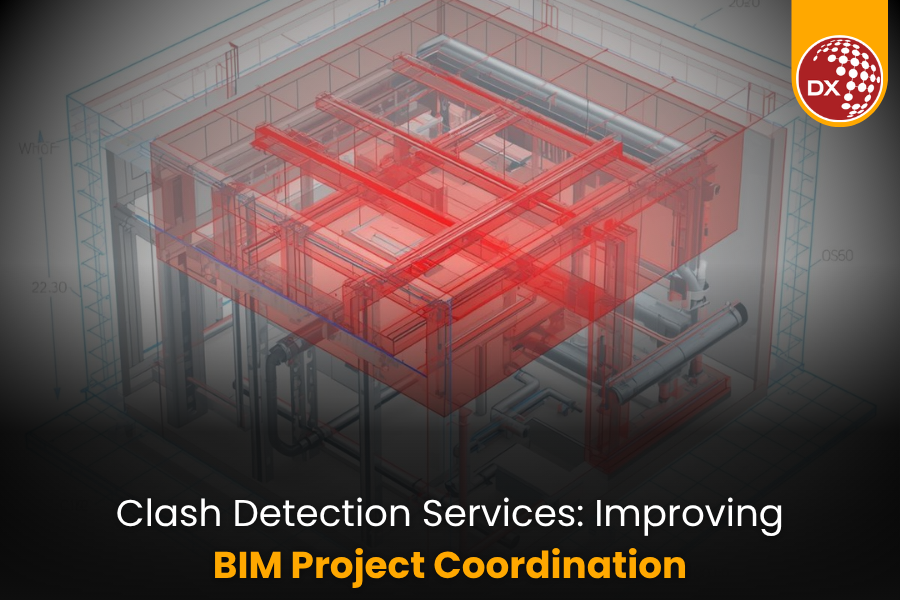
Clash Detection Services: Improving BIM Project Coordination
Here are a few SEO-optimized excerpts for the article, based on the provided titles:
* **Clash Detection Services: Identifying and Resolving Conflicts:**
* **Find & fix BIM clashes early! Our clash detection services save time & money. Resolve conflicts before construction.** (128 characters)
* **Clash Detection Services: Improving BIM Project Coordination:**
* **Boost BIM coordination with clash detection. Identify design conflicts & improve collaboration for smoother projects.** (144 characters)
* **Clash Detection Services: Streamlining Construction Projects:**
* **Streamline construction & avoid costly errors! Clash detection services ensure efficient BIM project delivery. Learn more.** (143 characters)